UX CASE STUDY
Nurse
Connect
A platform designed to help traveling nurses find jobs, feel connected, and navigate contracts with less stress so they can focus on patient care.
Overview
Project Overview
The Short Version
Travel nurses restart their lives every 13 weeks, and no platform helped with either half of that: the next contract or the next city. I designed NurseConnect around three decisions: build the navigation directly from what nurses ranked highest, treat job hunting and community as one product instead of two, and keep recruiters engaged with a rating loop, because hospitals hire through them. The MVP shipped scoped to what 30 nurses told us mattered most.
The Problem
Travel nurses move every 13 weeks, often to cities where they know no one. The lifestyle offers freedom and strong pay, but the constant cycle of contract hunting and starting over socially takes a real toll. And there's no platform built to help.
Business Goals
User Goals
My Role
I drove the design end-to-end: from research strategy and user interviews, to aligning with the CEO on product priorities, through wireframes and high-fidelity. I owned IA, interaction design, prototyping, and usability testing.
Working Across the Org
The CEO
Aligned product priorities directly with the founder, using the research rankings to scope the MVP and defer recruiter gamification to phase two.
Travel nurses
Interviewed 10 and surveyed 20 more, then mapped their journey to find where the app could support an actual day on assignment.
Recruiters
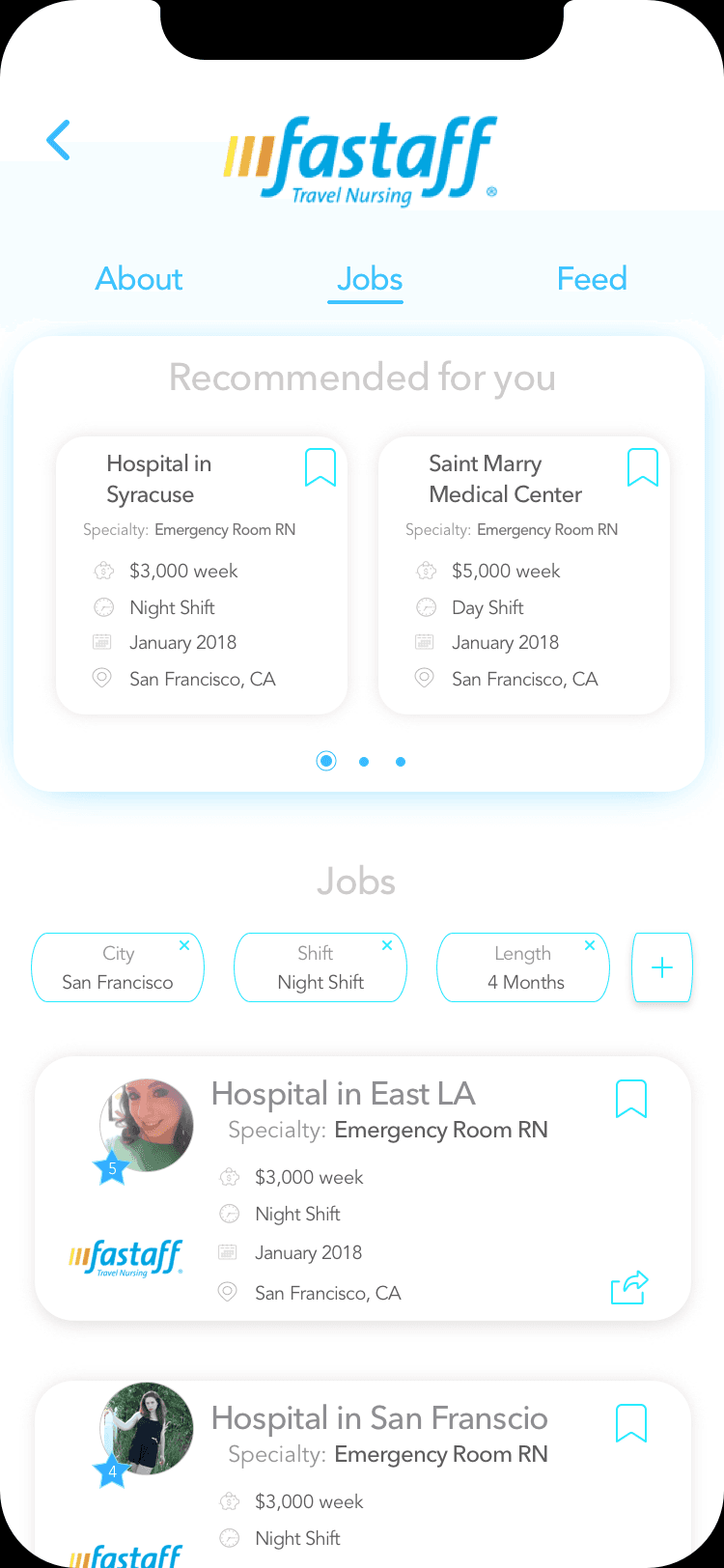
Designed their side of the marketplace around activity and response-rate incentives, since hospitals hire through them.
Engineering
Delivered IA, flows, and tested prototypes scoped to what a small team could actually ship as an MVP.
Research
User Research
Listening to Our Users
Top Priorities
Finding Jobs
Nurses' #1 need. Contract hunting is constant and stressful
Community Chat
Feeling connected with other nurses, especially in a new city
Making Connections
Meeting people and building a support network while traveling
Based on 10 user interviews + 20 surveys
Defining the User's Journey
Friends
Mapping the user journey helped us clearly see where the app could support nurses throughout their day-to-day lives.
Research Directly Shaped the Navigation
Home / Feed
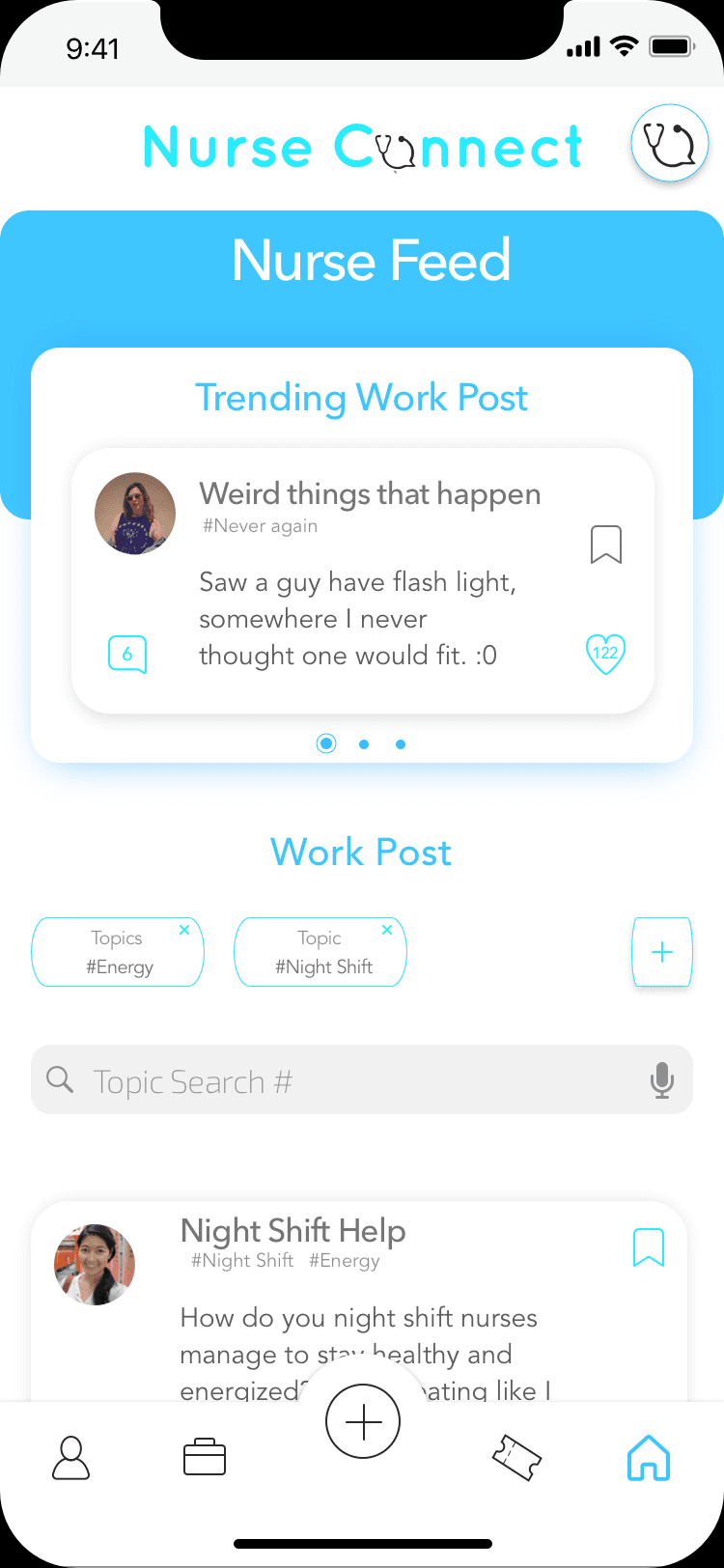
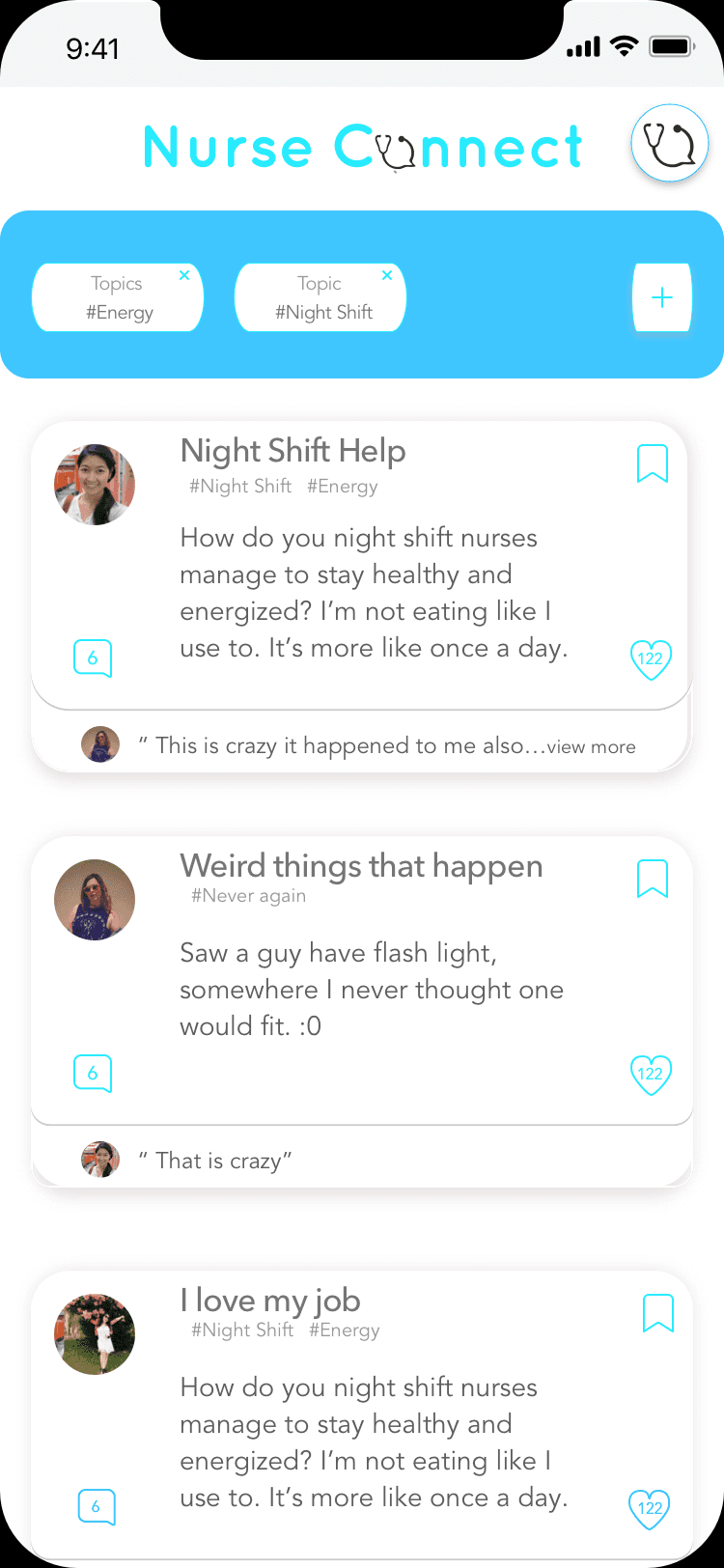
Designed to feel like a chat where users share questions or lighthearted content. Fosters community and lets users ask questions anonymously.
Events
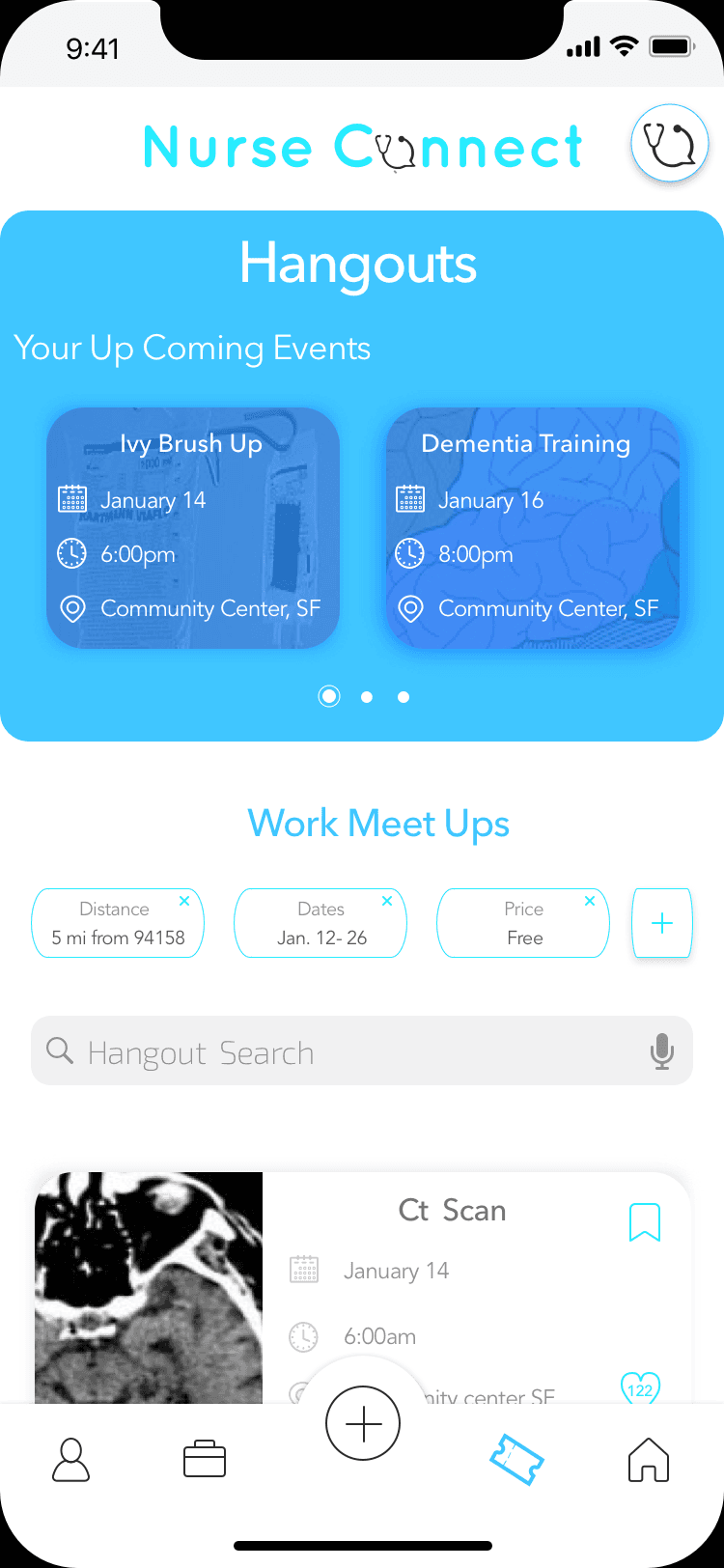
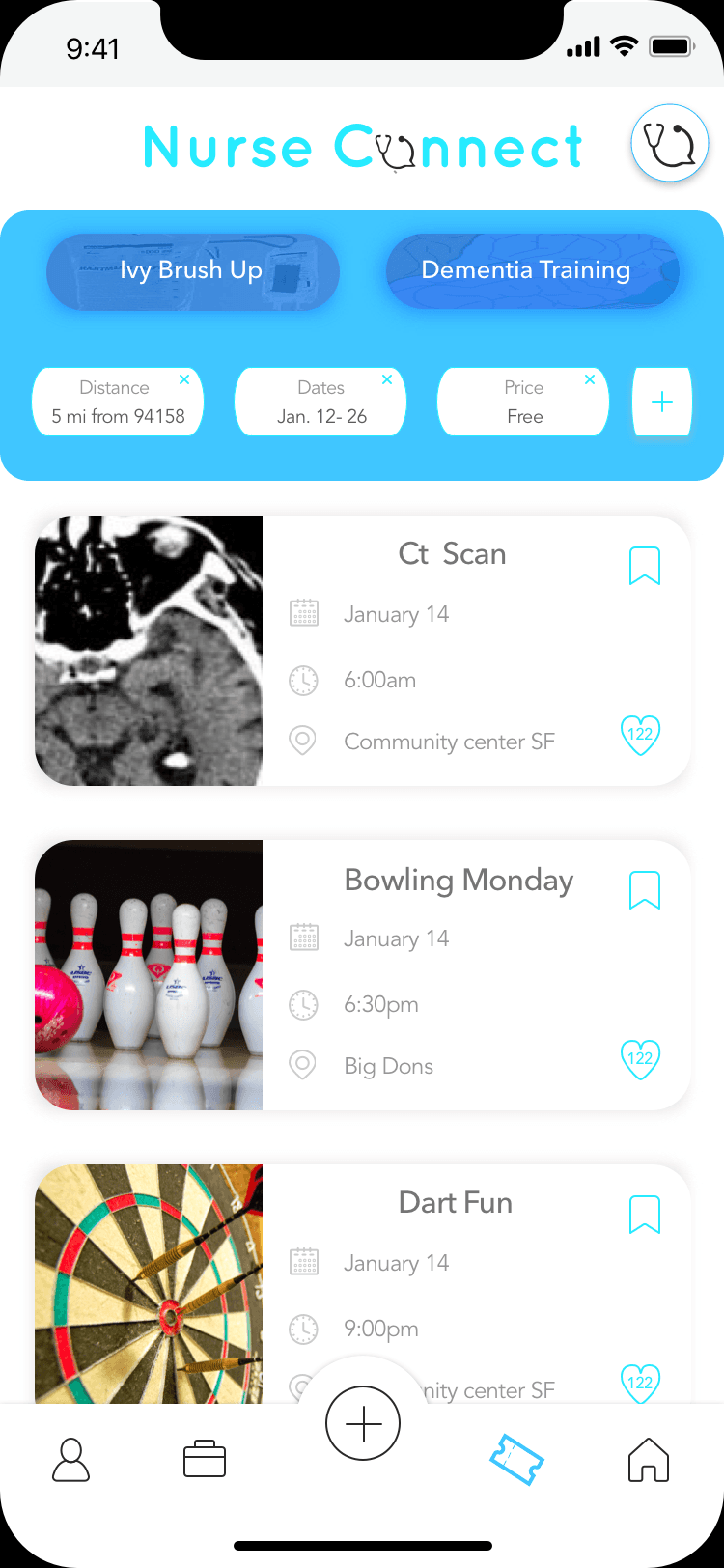
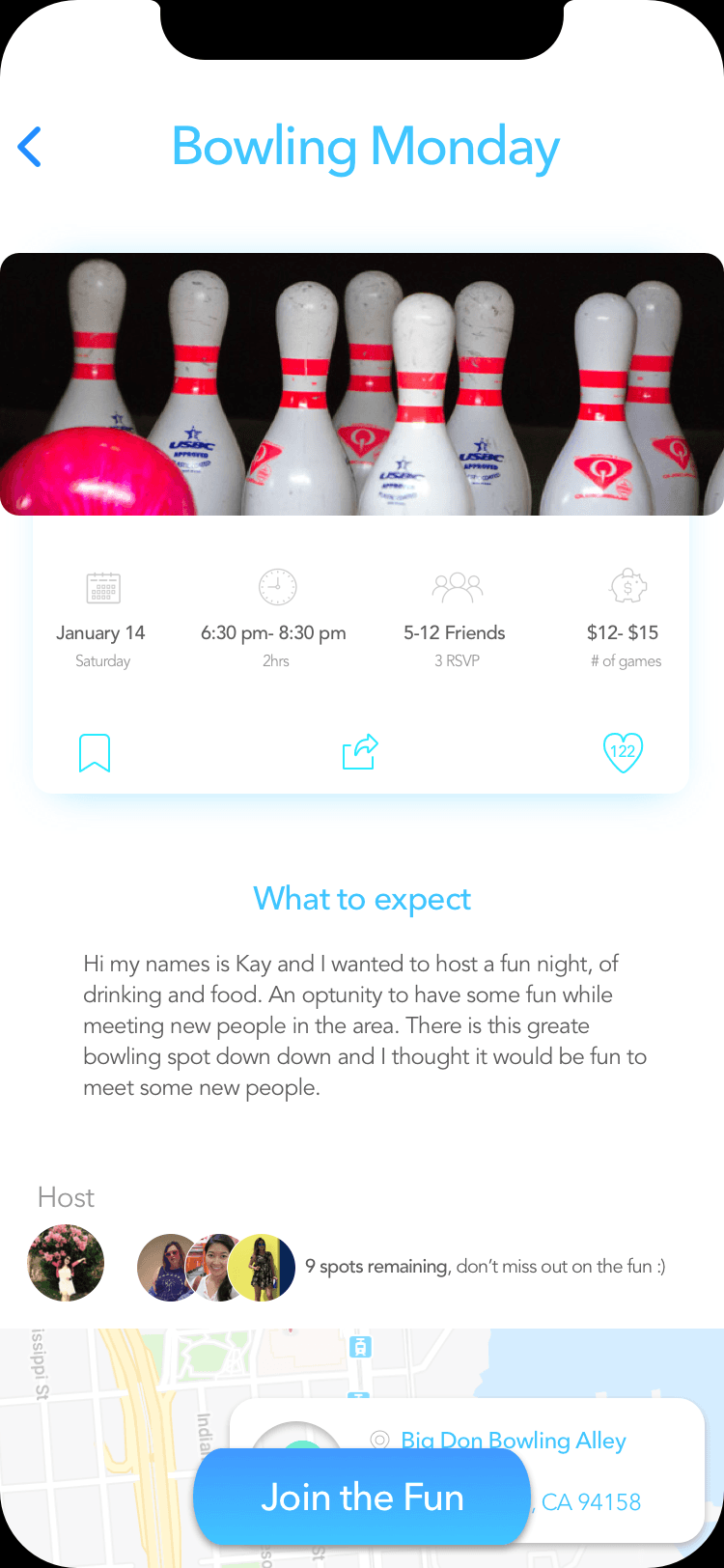
Users post local hangouts, making it easier for traveling nurses to meet new people when they arrive in an unfamiliar city.
Jobs
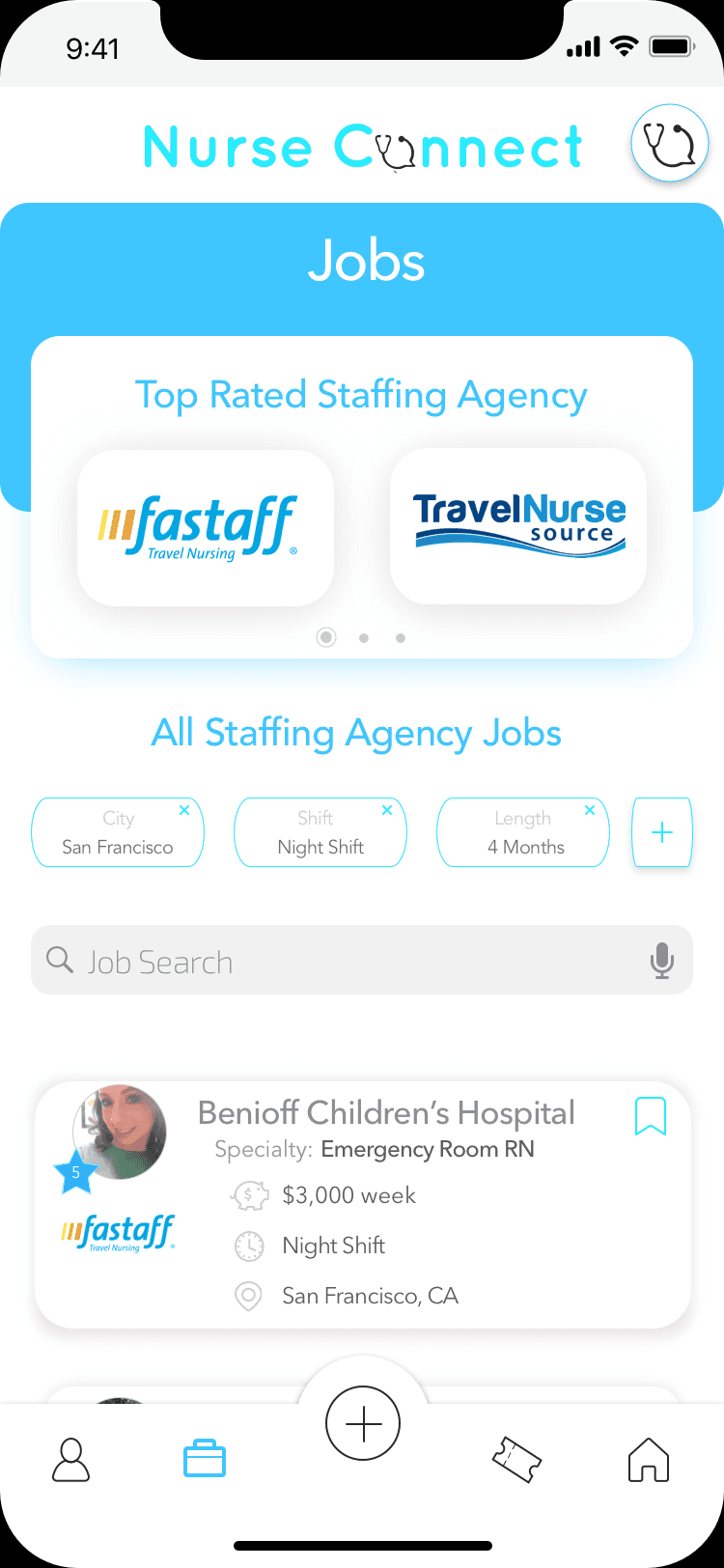
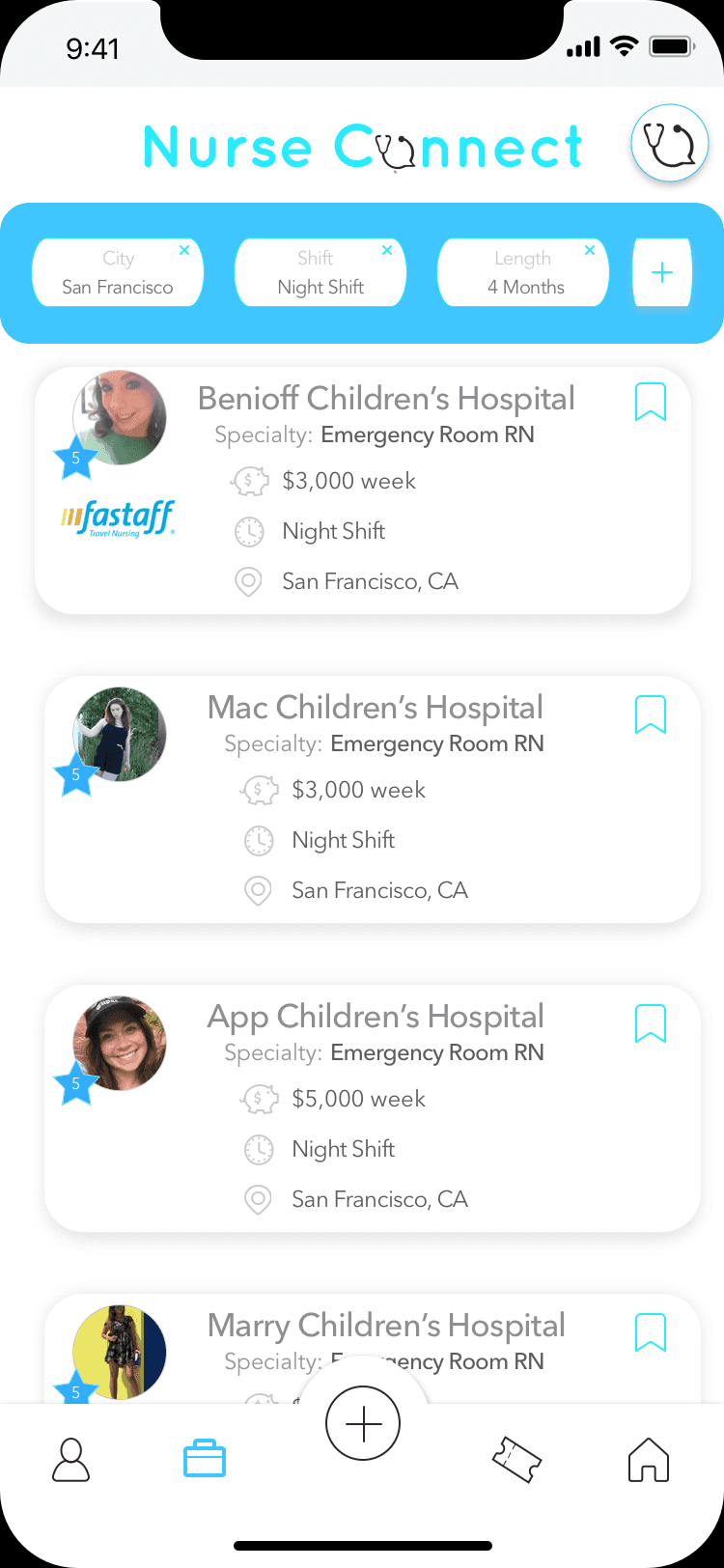
A one-stop shop for recruiters to post openings and nurses to find their next contract, something they need to do frequently.
Community
A supportive space where nurses share tips, ask for recommendations, and build connections across assignments.
Research confirmed that traveling nurses needed both practical job-finding tools and a sense of belonging. The MVP was scoped to address both, with advanced recruiter features and gamification identified as priorities for the next phase.
Wireframes
Wireframes & Structure
Home / Feed
The home feed was designed as a low-pressure community space, inspired by social media but built specifically for nurses who are far from familiar faces.
Events / Hangouts
Events give nurses a reason to get out and meet people locally. Simple post creation kept the barrier to organizing low.
Jobs
The jobs section was designed as a one-stop shop with recruiter ratings to help nurses make faster, more confident decisions about contracts.
Wireframe Summary
High Fidelity
High-Fidelity Mockups
When users create an account, they choose between signing up as a Recruiter or a Nurse, giving each role a tailored experience.
Nurse Side of the App
Home / Feed
Static
Scrolled
Prototype
Events / Hangouts
Static
Scrolled
Hangout Page
Jobs
Static
Scrolled
Recruiter Co. Page
Recruiter Side of the App
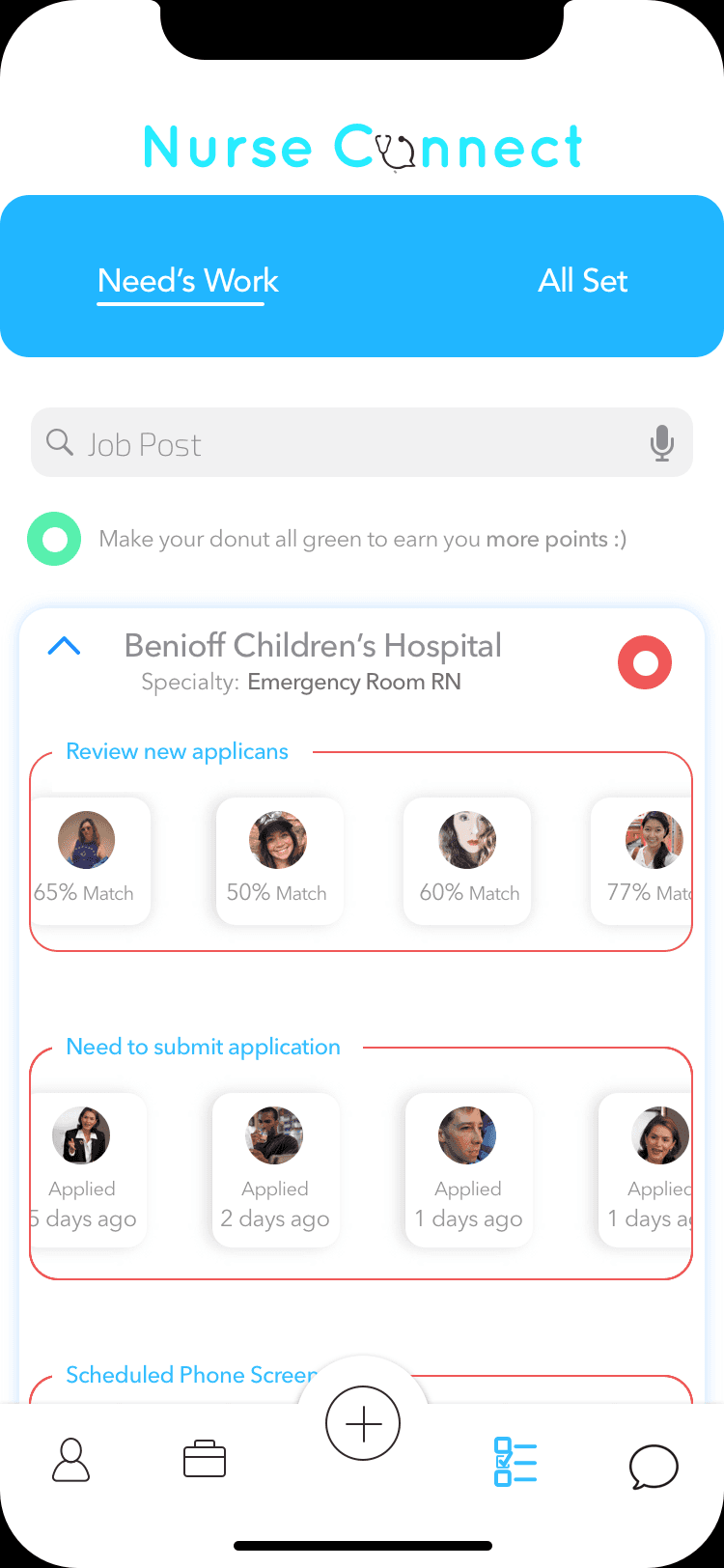
Static
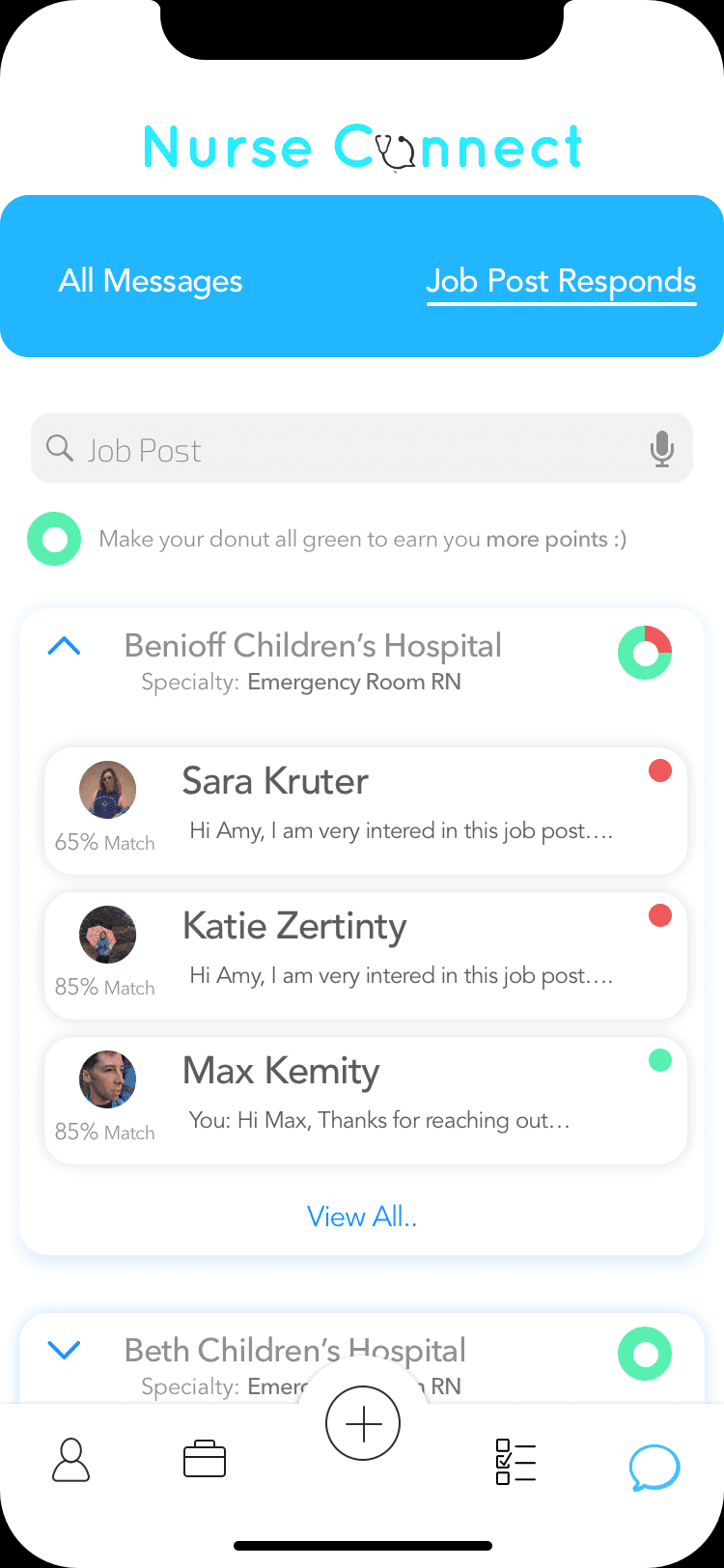
Scrolled
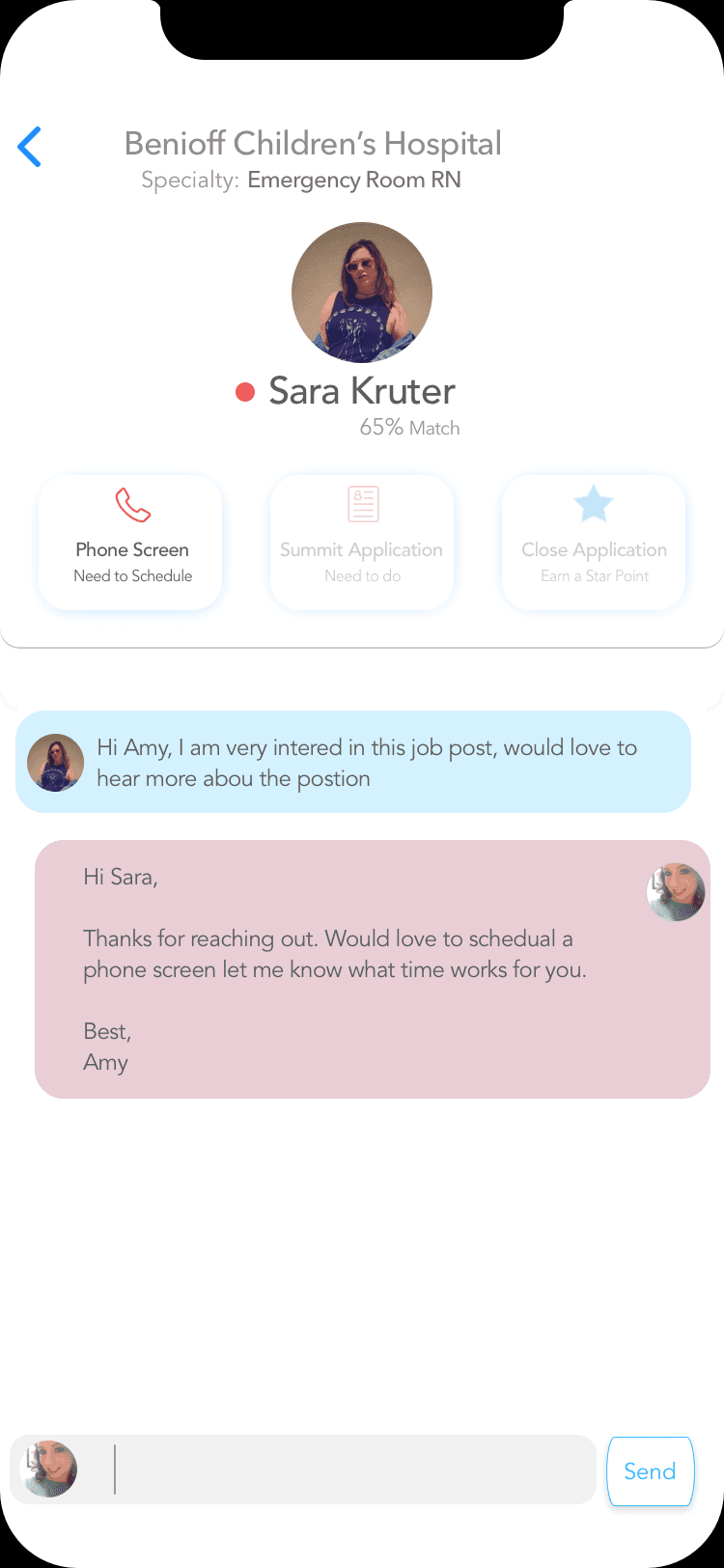
Company Page
Next Steps
Summary & What's Next
Early usability sessions validated the core approach. The job search, community feed, and contract flow were all landing. Testing also surfaced a focused set of friction points, giving us a clear roadmap for the next iteration and enough signal to brief investors on traction.
Key Takeaway
"Keeping recruiters active is what makes the whole platform work."
Hospitals hire through recruiters. By introducing a rating system tied to activity and response rate, we created a light gamification loop that keeps recruiters engaged, giving the platform a clear monetization path investors responded to. NurseConnect is where I learned to design the incentive loop before the screens, and I still start marketplace work there.
Conduct structured follow-up usability sessions to measure improvements across iterations.
Develop the recruiter star-rating gamification system to drive engagement and platform retention.
Build out the media and community features, including richer post types, event RSVPs, and direct messaging.
Partner with engineering to develop and ship the MVP to early-access users.
Explore proactive job-match nudges, surfacing roles contextually based on a nurse's saved preferences and location.